
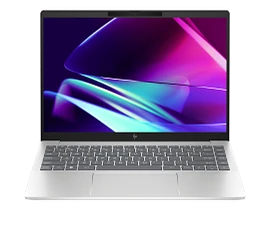
Features & Specifications
| Category | Details |
| Processor | Intel Core i5-1335U (13th Gen) |
| Graphics | Integrated Intel Iris Xe Graphics |
| RAM | 8 GB DDR4-3200 MHz (onboard for many models) |
| Storage | 512 GB NVMe SSD typical |
| Display | 14-inch FHD (1920×1080), IPS; non-touch or touch in some “x360 / convertible” models |
| Brightness & Colour | Around 250 nits brightness; ~45% NTSC colour gamut in many base models |
| Touch/Convertible Versions | Some versions are Pavilion x360 2-in-1 with multitouch & hinge design |
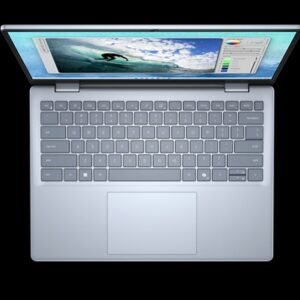
| Build & Exterior | Micro-edge bezels; aluminium or high-quality plastic finishes; backlit keyboard; silver / natural silver colour options |
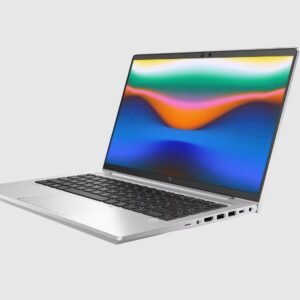
| Ports & Connectivity | USB-C (5-10 Gbps), USB-A ports, HDMI, headphone/mic jack, WiFi 6E or equivalent, Bluetooth 5.x |
| Weight & Dimensions | Approx ~1.4-1.5 kg in many variants; relatively slim profile for mid-range |
| Battery & Power | Mid-sized battery (≈ 40-50 Wh in many configs); some offer fast charge; battery life good for typical usage (web, office, video) |
| Audio & Webcam | Standard webcam; dual speakers (often tuned by B&O or brand audio); decent for calls and media consumption |
Expert Review & User Experience
From a UX & CRO perspective, the Pavilion 14 (13th Gen Intel) tends to hit many points that matter for UK buyers:
- Good performance for everyday tasks: The i5-1335U gives good speed for office work, browsing, video conferencing, streaming, and light editing. Not gaming powerhouse, but sufficient for most non-intensive tasks.
- Display comfort: The FHD IPS panel with anti-glare makes it usable indoors, though the brightness at ~250 nits means strong sunlight or very bright environments reduce visibility. Viewing angles are decent.
- Form & portability: Being a 14-inch model, it strikes a balance—more screen than a 13-inch, but still portable. Weight around 1.4-1.5 kg is decent for carrying around, backpack use etc.
- Value features: The backlit keyboard, solid SSD storage, and modern connectivity are bonuses. The x360 convertible versions add versatility (tablet/tent/laptop modes) which some users find very useful.
- Battery life: For mixed usage—office, web, video—it performs reasonably. Heavy load, high brightness, or gaming will reduce life significantly. Users should expect perhaps ~7-9 hours under moderate conditions, less if pushing performance.
- Trade-offs: Lower colour gamut, modest brightness, RAM often not enormous in base models; upgradability may be limited in some configurations. Users should choose wisely depending on priorities (portability vs display quality vs specs).
Pros & Cons
Pros:
- Strong performance for everyday use without overpaying
- Good build and design; modern look & feel
- Convertible versions for users needing flexibility (if you pick x360)
- Solid storage + responsive SSDs in most units
- Reasonable battery life under typical usage
- Modern connectivity + backlit keyboard
Cons:
- Display brightness and colour fidelity modest in base models
- Integrated graphics only — not for heavy GPU tasks or high-end gaming
- RAM in base models tends to be on the lower side (8 GB) — may feel tight with many browser tabs or multitasking
- Performance throttling under heavy workloads possible due to cooling constraints
- Premium features (touch, better display, more RAM) cost more, pushing towards higher price range
Verdict & Buying Advice
If you are in the UK and need a reliable laptop for work, study, or general use, the HP Pavilion 14 (13th Gen Intel) offers good value. Choose your version based on what matters:
- For general use & portability: go for i5, 8-16 GB RAM, 512 GB SSD, non-touch FHD display.
- For versatility or frequent travel: consider the x360 convertible version with touch and possibly a better display.
- If display quality or outdoor visibility matters a lot, spend extra on panels with higher brightness or better colour.
- Always check warranty and support in the UK, and make sure your version includes USB-C, backlit keyboard, and enough storage.

Reviews
There are no reviews yet.